
Recently I was involved with a prospect who was interested in moving their client data into Microsoft CRM 2011. They were primarily interested in the xRM capabilities, namely the ability to configure the system down to a few very specific functions as a phase one deployment. In addition, they also wanted to continue to use Lotus Notes for their email functions. I was my responsibility to provide a solution that would meet their needs.
Upon research of Notes integration to Microsoft CRM I found two ISV applications that would provide the necessary combination required to meet the prospect’s needs and provide value. The whole idea was not to radically disrupt the end users workflow during phase one of the project while providing the stakeholders the rapid development platform and services available in Microsoft CRM.
After careful consideration we selected LinkPoint360 to integrate the prospects email to CRM 2011. We made this decision because we felt the enhancements provided by LinkPont360 would meet our objectives of maintaining the end users productivity along with CRM’s flexibility to expand as the prospect’s needs expand in the future.
We were able to enhance the prospects experience in the following ways:
- LinkPoint’s ability to record inbound/Outbound emails to Microsoft CRM with one click
- The creation of Tasks or Appointments when recording Emails
- The ability to jump right to a record in Microsoft CRM from your email
- A function to drag and drop to create contacts or leads in Microsoft CRM
- Create new records in Microsoft CRM from Lotus Notes
- LinkPoint360 Integrates with Google Maps so you can get driving directions to your contacts with one button push
It all starts with the Vue Panel:
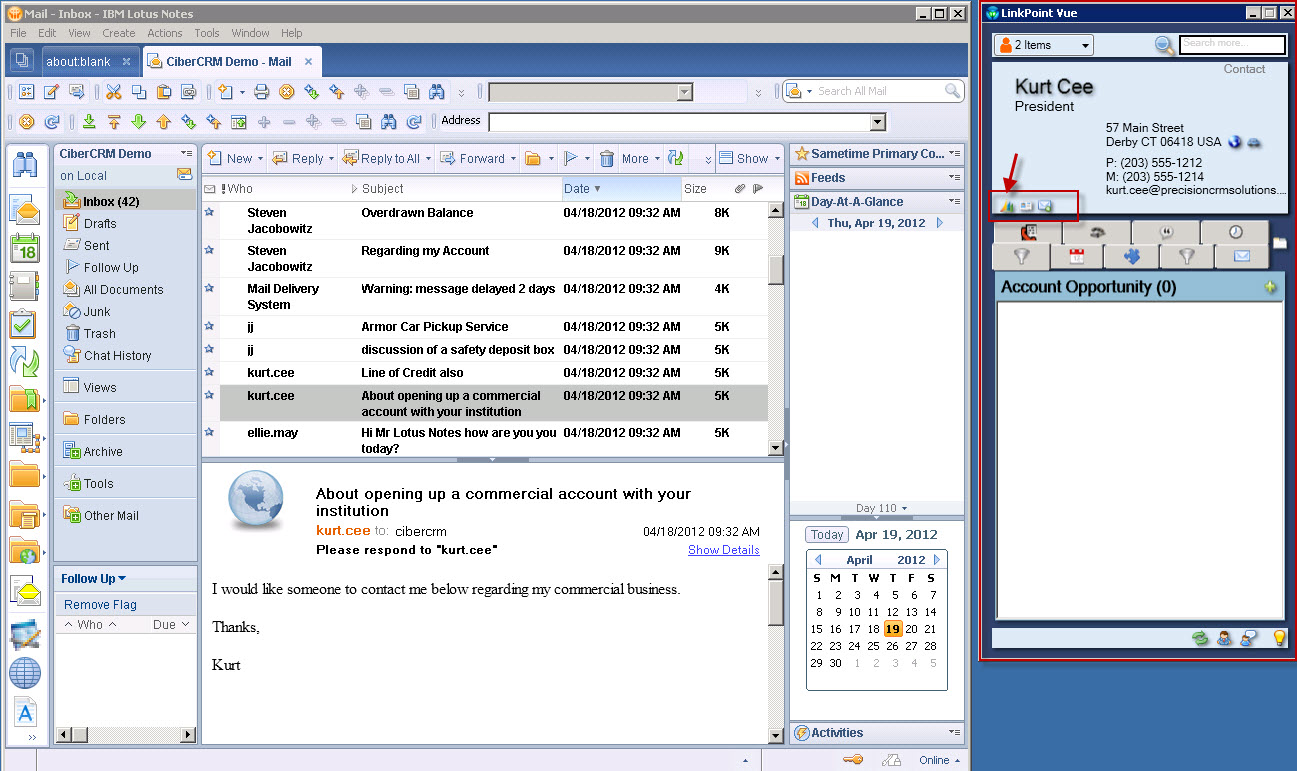
LinkPoint360 automatically resolves from emails received into Lotus notes. As soon as I click on an email we can look at the corresponding contact information from CRM in the Vue panel.
From this panel I can view pertinent information about the contact for example all upcoming appointments.
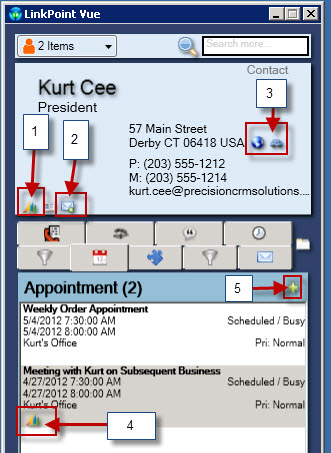
Notice there an abundance of powerful features associated with this Vue Screen, for example:
- #1 Will open the corresponding contact record in Microsoft CRM
- #2 Will automatically record the email from Lotus Notes to Microsoft CRM
- #3 Will automatically open Google Maps and provide you with driving directions based on the contact location.
- #4 Will automatically open the related activity, (in this case the appointment) in Microsoft CRM.
- #5 Will allow the user to create additional activities from the view screen which will be recorded both on the local Notes Client and in Microsoft CRM.
If you want a condensed view of the contact record you only need to double click on the contact name in the view screen to be provided with some very useful information.
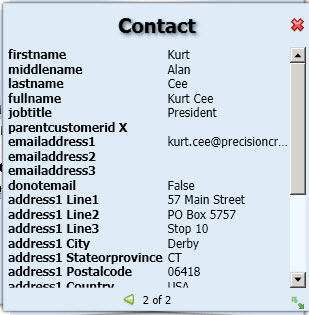
Note to developers– if you want to integrate custom entities to the Vue application you can do so using XML and the LInkpoint360 API. For our example since we were dealing with a banking prospect we were able to demonstrate the ability to view all open bank accounts from one of the Vue tabs.
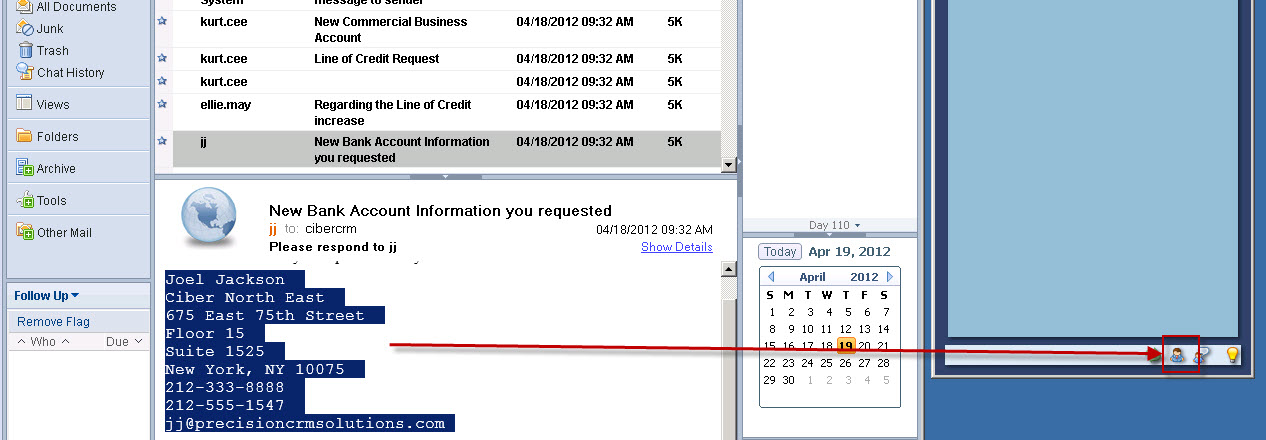
There is one feature I forgot to mention. Suppose you receive an email from a potential prospect and you would like to automatically create a CRM Record; what should you do?
They thought of that at LinkPoint360! Notice my Vue window when I click on the email from JJ. It tells me that there is no contact in CRM for JJ. Also notice I have JJ’s signature on the bottom of the email. Also notice at the very bottom of the Vue window I have the ability to highlight the signature line and drag the information over to the contact or lead creation and LinkPoint360 will automatically create a new contact in Microsoft CRM.


“I am worried because I might forget to push a link button and not record information into CRM from Lotus Notes. What should I do?”
LinkPoint360 has automated Synchronization capabilities built in therefore you can Sync all contact and activities created in Notes automatically to Microsoft CRM 2011.
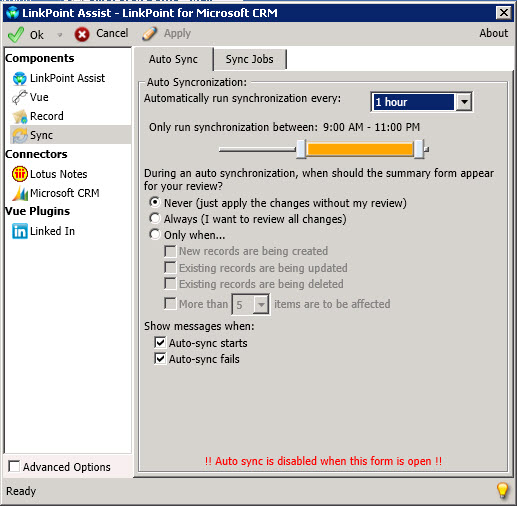
In addition, the product has granular configuration options.
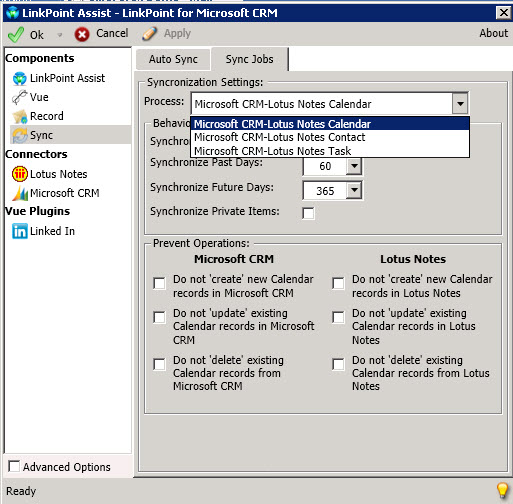
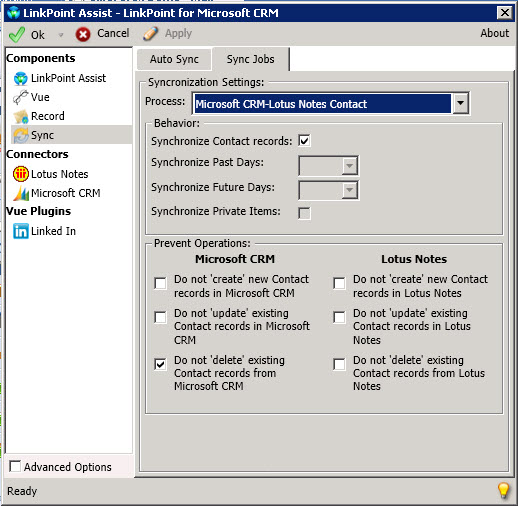
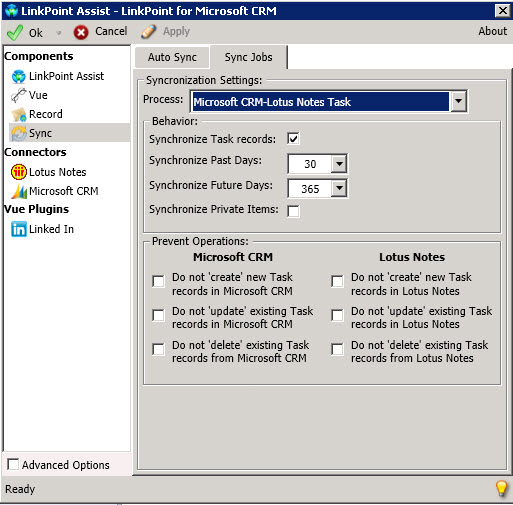
In conclusion, we lead with LinkPoint360 and Microsoft CRM since we were able to meet the prospects objectives efficiently and provide a value proposition that was very hard to dispute and at a very affordable cost.
Happy CRM’ing,
Steven


 Steve's Site Innovation, Transformation, Change, Growth, Culture Building, Learning