
Overview: Building demos historically has been a drain on resources due to the level of effort required in order to meet the stated goals of the prospect in order to win the subsequent business. In order to close the gap between the uncertainties of winning the business and building a focused demo for the prospect Microsoft started releasing Demo images of the CRM Environment during Version 3.0.
At first the Demo Environment ran on VM Ware and was basic. The value to the pre-sales effort was apparent; in such you no longer had to stand up a system, you could spin up the VM Ware image and start developing the demo on it. In addition, the early images included Visual Studio, Exchange and the Email Router. This provided a significant amount of time savings since the installation processes were circumnavigated by spinning up another copy of the image every time you needed a new demo.
CRM 2011 provided a few new challenges; structurally the VM Image was no long relevant since CRM 2011 required a 64 bit Operating System. Microsoft moved the image to HyperV as a starting point. In addition components necessary were included in later versions of the images, for example, Portal Integration, relevant Demo Data, SharePoint and SharePoint integration.
The presales effort benefited again because in most cases standing up this environment saved about 80% of the effort in the remaining presales activities. The downside was apparent; you now had to invest in hardware in order to run HyperV in order to spin up the environment. Microsoft estimates in order to build one complete HyperV Image with the CRM components cost approximately 300 hours in development time.
In addition to this investment, Rollups were now being released periodically, as well as Bi-annual Enhancement Releases. In my efforts as a presales engineer, as each rollup was released I had to update each image in order to benefit from the enhancements. In an effort to systematize the process I found myself creating a Golden Image that not only was updated as rollups were released, but also had standard tools I would use for every demo. A good example is Microsoft’s Site Map Accelerator.
It is obvious the resource expenditure could easily get out of control very quickly for such a risky proposition, a presales demo to a prospect; especially since you weren’t guaranteed you were going to win the business.
In an effort to close this development cycle further and still provide the 80% boost during the presales effort Microsoft released a new tool called The Demo Hub. The demo hub is a wizard based web application being developed in an iterative process focused on closing the gap in the presales development risk. In its present format setting up a new development environment requires approximately 10 minutes of human interaction; you can then walk away from the configuration.
The wizard will configure, the CRM Organization, (you do have to set the organization up at CRM Live prior to starting the wizard), including all demo data, a SharePoint site and integration on Office 365 and Portals for Customers and Employees on Windows Azure. When the configuration is completed an email is sent to your Live ID email account and within an hour you will receive an email alerting you; the configuration has been completed.
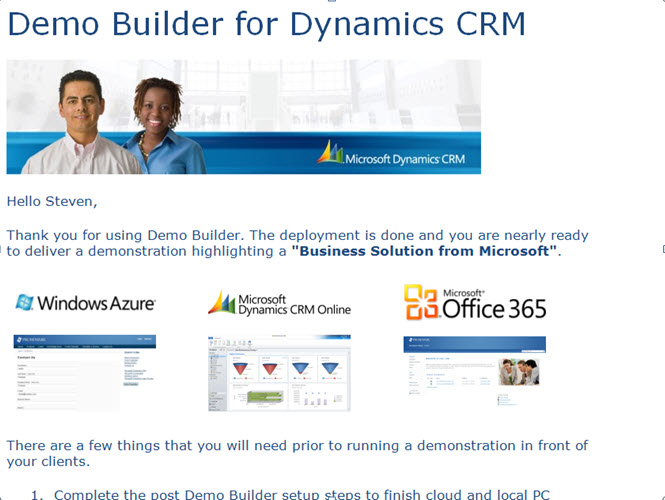
Example of the Email Sent from Demo Builder
Value Proposition:
- Reduce demo set up time addresses the 80% Rule
- Allows Infosys to align with Microsoft’s Cloud Technologies
- Utilizes Microsoft CRM 2011, Windows Azure, and Office 365
- Ready to use demo scenarios complete with Demo Scripts and Demo Videos
- Complete demo data utilized including localization and language options
- New Microsoft tools automatically installed:
- A new Visual Ribbon Editor
- InsideView – Social Media Integration
- Montage Solution – Social Mash Up Enhancement
- Microsoft Demo Ager
- Partner Portal
- Configuration time requires approximately 10 minutes addressing the wizard criteria, Illustrated below, with the remainder of the configuration completed unattended
- Automatic email with all logins configured and links to each demo location, including login persona to these demo sites
Future Value:
- Focused on Enhancements, committed to an iterative process with greater flexibility
- Vertical outlook using Microsoft’s Industry Accelerators, (the ability to stand up a demo environment 80% ready for the Vertical Market you are presenting too)
- Component Focused Demo Configuration, for example, configuration centered around PowerView only.
Present Drawbacks:
- Horizontal focused, based on a software reseller scenario, therefore, the the base system will still need development geared to Vertical focus
- Development limitations inherent within CRM Live
- User is required to stand up a CRM Live instance independent of the Wizard prior to starting the process.
The Demo Hub is located at: http://demobuilder.cloudapp.net/unauthenticated-home/
Illustration: Creating your first demo Instance
Browse to the Demo Hub Area:http://demobuilder.cloudapp.net/unauthenticated-home/Log in with your Windows Live ID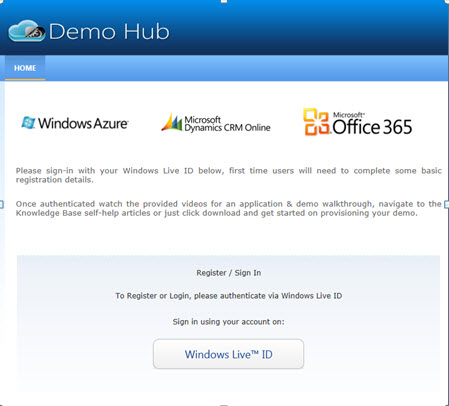 |
Click on Run Demo Builder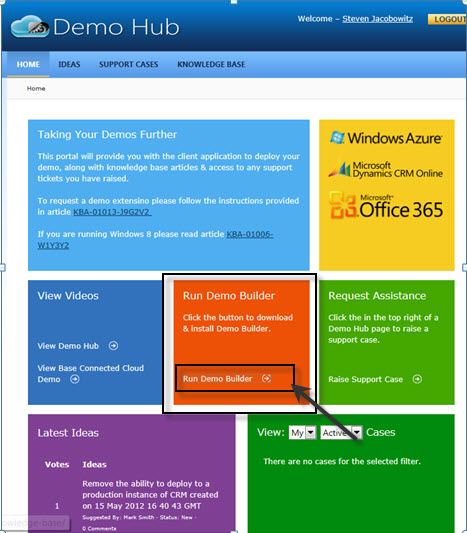 |
First time use Click on CRM Base Demo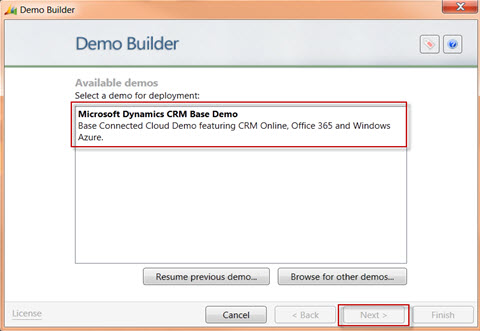 Note: if you start a demo and fail to complete when you enter the site again you have the option to resume previous demo configuration by selecting the appropriate button below. |
Complete the form with the name of the prospect, region and scope of the demo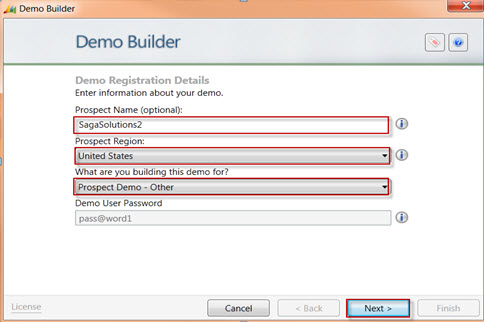 Note: Prospect Region will determine the localization of the subsequent configuration. |
Name your Azure Portal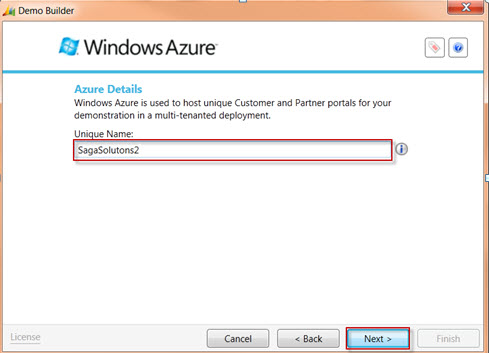 |
Identification of your CRM Live instance requires you to login using the Windows Live ID used to create your CRM instance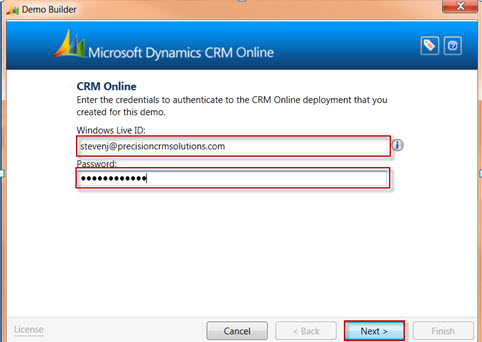 |
Logging into CRM Live Site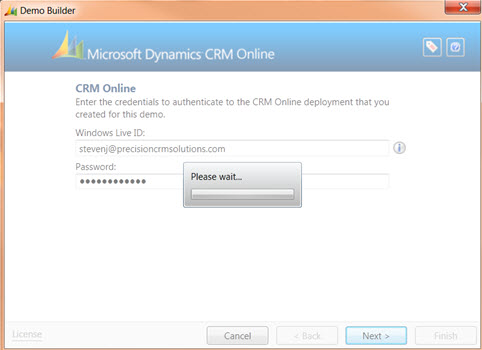 |
Choose the CRM organization you wish to configure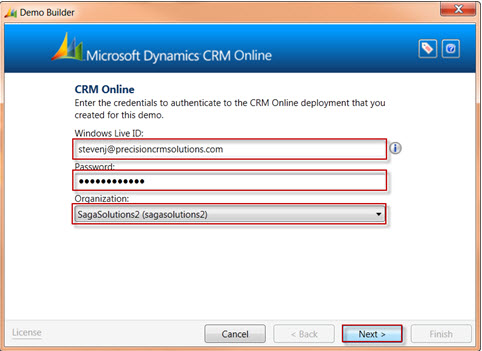 |
Name your SharePoint Site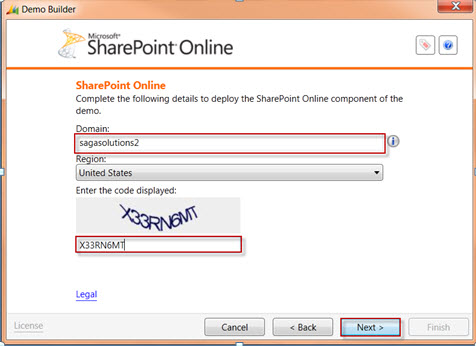 |
Click Next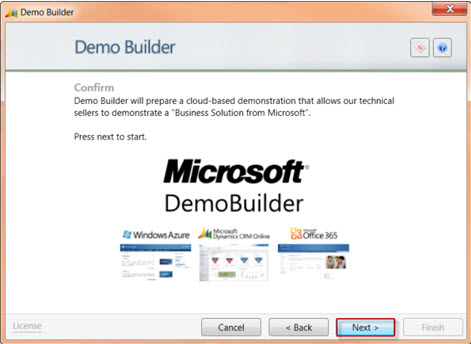 |
Your Demo will be configured unattended, duration approximately 45-65 minutes.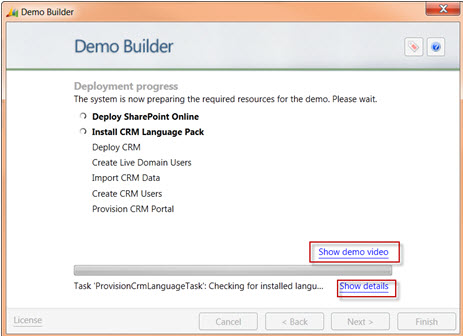 |
| Demo Video located at the following location:https://demobuilderstorage.blob.core.windows.net/demos/BaseDemo/BaseDemo_Video.mp4 |
I can only say wow!
This is a great first step by Microsoft. The value going forward is unlimited in helping me perform my job efficiently. WELL DONE!
Happy CRM’ing,
Steven


 Steve's Site Innovation, Transformation, Change, Growth, Culture Building, Learning