
Good Afternoon –
I hope all had a wonderful weekend!
Saturday, I noticed a post where someone suggested a method for turning off the new Unified Interface or getting to the Old Interface by changing URL browsing defaults. Of course, one of my cohorts immediately pointed out that this method was not supported by Microsoft. I am in total agreement with the reply.
How would you address this challenge while remaining supportable?
Why would you want to do this in the first place?
1. Old time configurators, (like myself), enjoy the flexibility of getting to the old settings tab during the configuration process. Therefore, when they are spinning up a new instance, they require access to both the old and new User Interface.
2. People moving from on-premise to online haven’t used the new UI exclusively, and might want to allow their users access what they are used to, while going through the change management process, (too much change at one time might confuse users and subsequently preclude adoption).
Note: There is a switch that started shipping during the last fall update that will allow the use of both interfaces while either during development or adoption cycles. (Please note that during the May June timeframe, Microsoft has defaulted this switch to Use Only New User, On).
Below is the method for turning this switch off.
Please go to https://admin.powerplatform.com
Click on the Environments Navigation Tile (make sure you are logged into Dynamics365 with administrator privileges and Office 365)
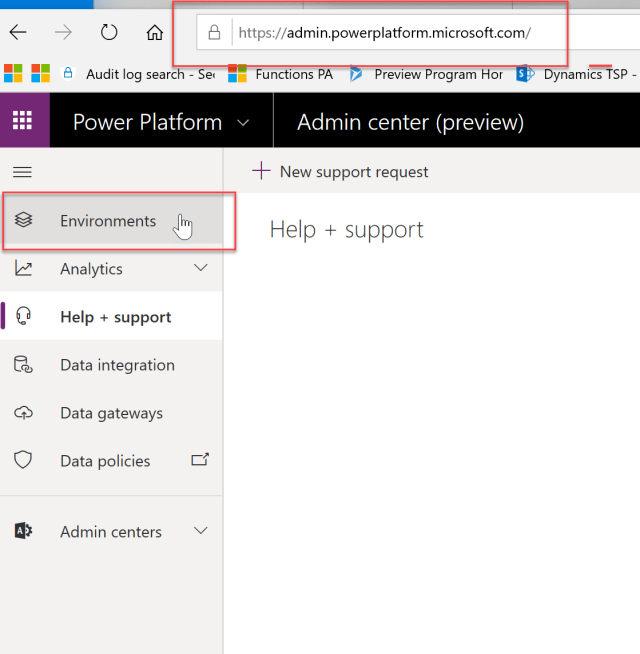
You should see the environments you created.
Click on the ellipse to the right of the environment name.
Click on Settings.

Your next screen should look like this one below.

Click on the Behavior navigation section.
The screen should render as follows:
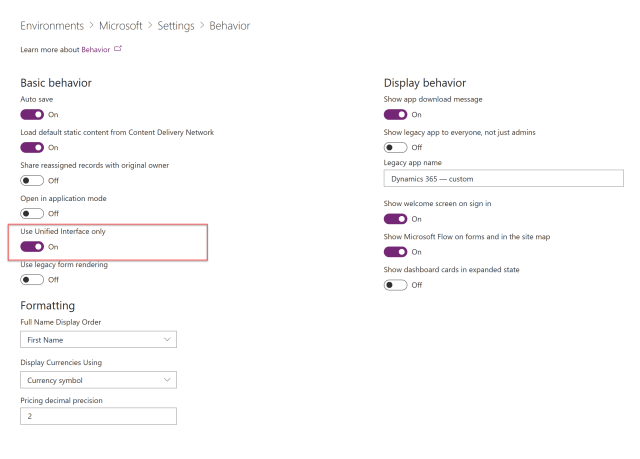
Change the Use Unified Interface Only to Off.
Now Open up your Dynamics 365 Instance.
Click on the Down Arrow next to Dynamics 365
Click on the Dynamics 365
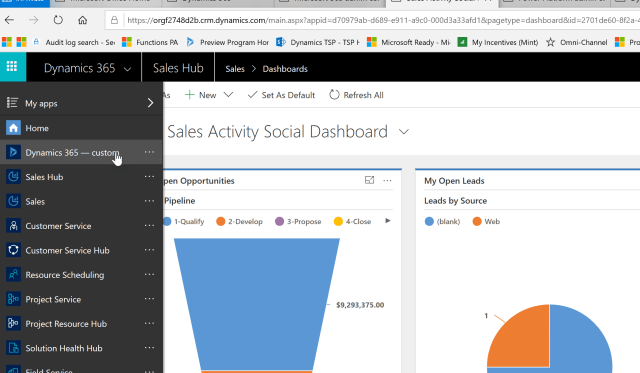
You will now have access to the Old and the New User Interface solutions:
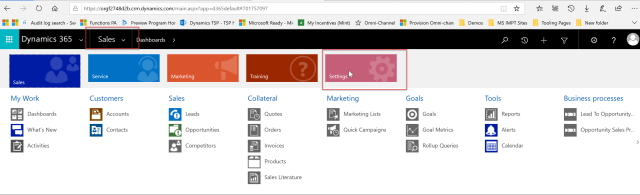
Old User Interface includes:
1. Dynamics 365 – custom solution
2. Sales
3. Customer Service
4. Project Service
5. Etc.
I hope this helps you going forward. Remember you can always revert this switch back so all solutions above will also render in the New User Interface.
I will be posting more going forward. Please keep in contact on subjects you would like to have some content for by emailing me at stevenj@precisioncrmsolutions.com.
Have a great week.
My best,


 Steve's Site Innovation, Transformation, Change, Growth, Culture Building, Learning